
Your laptop has an AI key. Make it do something, on your own NPU.
New laptops have a Copilot key. On Linux it does nothing. local-llm-hotkeys gives it four jobs on KDE Plasma, and runs all of them on the AMD Ryzen AI NPU that is already in the laptop. There is no cloud, no account and no subscription. Nothing leaves your computer, it works offline, and the GPU stays free.
What is an NPU?
An NPU, a neural processing unit, is a part of the processor built for one job: the arithmetic that AI models run on. Laptops with AMD Ryzen AI have one next to the CPU and the graphics. It does that work with far less power, and leaves the CPU and GPU free for everything else.
On Windows it runs the Copilot+ features. On Linux it mostly sat idle. With the amdxdna driver (in the Linux kernel since 6.14) and FastFlowLM, it runs real models: a translator, a chat model with 9 billion parameters that also reads screenshots, and Whisper for speech. That is what the AI key uses.
Why not just use the cloud? Your clipboard, your letters and your screen stay on your laptop. It works on a train without Wi-Fi, and nobody bills you per question.
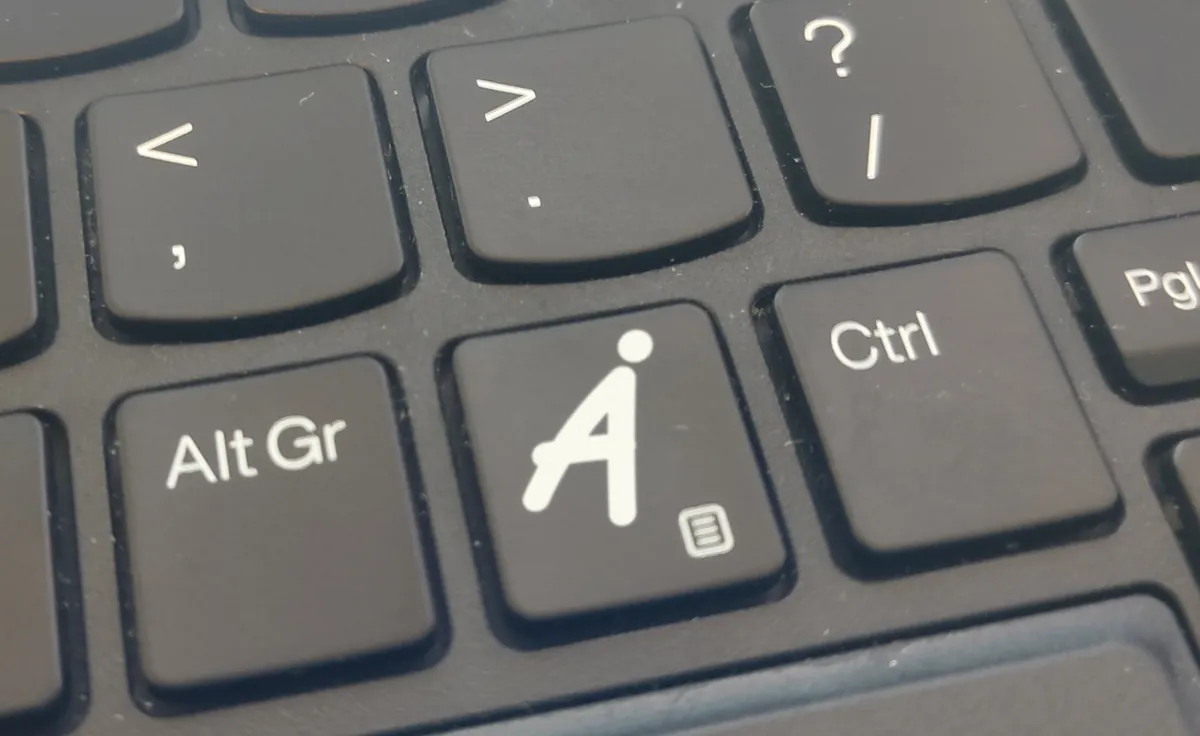
Four jobs for one key
-
Copilot
Chat
A chat window. Ask anything, then ask follow-up questions. It knows your distribution and desktop, so the commands fit your system.
-
Alt Copilot
Translate
The copied text, translated to your language. A Ukrainian article, a German invoice, a Japanese error message.
-
Ctrl Copilot
Explain
The copied text in a few plain sentences, in your language, with a to-do list if it asks you to do something.
-
Ctrl Alt Copilot
What is on my screen?
The window in front of you, explained: "what is this error, and what do I do?" Then ask on.
For example
- A letter from the tax office that you do not understand: copy it, press Ctrl Copilot, and read what it says and what you must do before which date.
- An error dialog, a settings page, a chart: press Ctrl Alt Copilot, then ask "and how do I fix that?"
- An email to someone who does not read your language: press Meta Ctrl Shift D, speak your language, and the English text is typed for you.
No AI key? These work too
| Meta Shift Q | chat |
|---|---|
| Meta Shift T | translate the clipboard |
| Meta Shift E | explain the clipboard |
| Meta Shift W | explain the active window |
| Meta Shift X | explain a screen region that you select |
| Meta Shift Y | translate a screen region (OCR) |
| Meta Shift F | fix spelling and grammar of the clipboard |
| Meta Shift D | dictate: speak, and the text is typed |
| Meta Ctrl Shift D | dictate and translate |
In Dolphin, right-click a document to translate it or have it explained.
Install
git clone https://github.com/annejan/local-llm-hotkeys.git
cd local-llm-hotkeys
./install.sh
install.sh needs no root. It checks what is missing and prints the install command for openSUSE, Debian, Ubuntu, Fedora or Arch, then sets up the commands, the hotkeys, the Dolphin menu and the key map for the Copilot key. The models run in FastFlowLM on the NPU; on a computer without one, ollama on a GPU works too.
The README has every command and setting. Release files are signed; the README shows how to check them.
Made with Claude: these tools and this page were written with an AI, and the tools run on a laptop's NPU every day.